IBKR Terminal

TickForge

A modern Interactive Brokers data terminal built for active intraday stock traders.

Modern, easy-to-use day-trading software for stock traders of every experience level — scanners, live charts, and scripted hotkey order entry in one multi-monitor workspace.

No commitment beyond a card on file. Cancel any time.

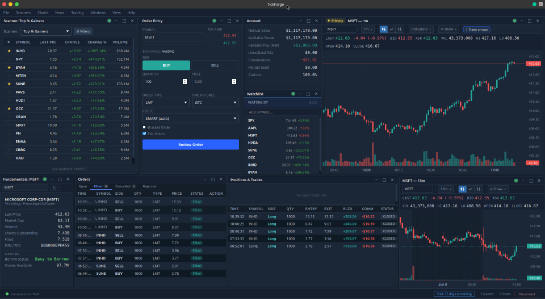
TickForge main window showing market data dashboard
Windows · macOS (coming soon) · Linux
4 languages
17-day full trial
Built for IBKR TWS & IB Gateway

The full workflow. One terminal.

From scanner hit to filled order — without switching apps.

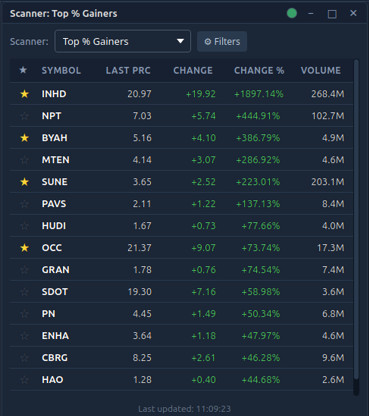
TickForge scanner widget showing top gainers and momentum alerts
Find it

Real-time scanners

Eight IBKR scan types. Up to 10 scanners running at once, each with configurable refresh and sortable columns.

  • Top % Gainers/Losers, Most Active, Hot by Price/Volume
  • Momentum alerts — volume spike + price move, live
  • Persistent watchlist, 20 symbols, one-click to chart
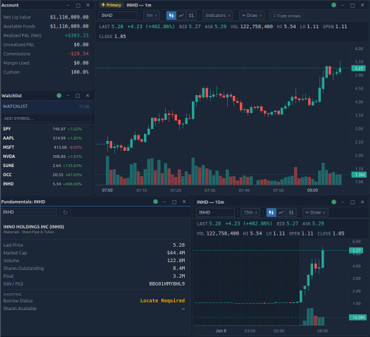
TickForge chart with SMA, VWAP, and fundamentals panel
Read it

12 live charts

Up to 12 concurrent real-time charts. Professional indicators, drawing tools, and symbol link groups.

  • SMA, EMA, VWAP, Bollinger Bands, RSI, MACD
  • Trendlines, levels, Fibonacci — saved per symbol
  • Six color-coded link groups tie every widget together
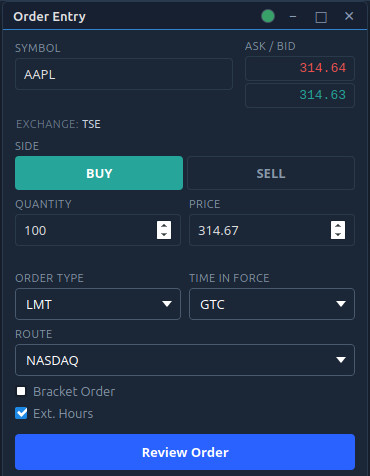
TickForge order entry panel with bracket order controls
Trade it

Order ticket + script keys

Market, limit, stop, bracket orders. One-click flatten. Fully scriptable hotkeys for the orders you place every day.

  • Bracket orders, DAY/GTC/IOC/FOK time-in-force
  • One-click Flatten for any position
  • Configurable Buy/Sell/Flatten/Cancel-All hotkeys
Script Keys

One keystroke. A complete order.

Script keys turn a single keypress into a fully specified order — the kind of scripted execution usually found only in expensive professional terminals.

Reference live market values (BID, ASK, LAST, MID), size by position or buying power, attach brackets, pick your route. Write your first script in a minute.

Start your 17-day trial
script_keys.conf
Buy limit, ask + 5 cents, 100 shares, dayACTION=BUY|TYPE=LMT|PRICE=ASK+0.05|QTY=100|TIF=DAY
Buy limit at ask, size 3% of buying powerACTION=BUY|TYPE=LMT|PRICE=ASK|QTY=FUNDS(3%)|TIF=DAY
Sell market, half positionACTION=SELL|TYPE=MKT|QTY=POS*0.5
New · Claude Desktop

Talk to your trading desk.

Connect Claude Desktop to a running TickForge and ask about your account, positions, charts, and the market in plain English — then place orders just by describing them. It is powered by MCP, the open standard that lets Claude securely use TickForge as a tool.

  • Ask about your book

    "What are my open positions and total P&L right now?" Claude reads your live data and walks you through it.

  • Briefings and chart reads

    Summarize the news on everything you hold, or talk through a setup — where support is, where your risk is, and a sensible stop.

  • Order entry you approve

    Describe a trade and Claude proposes it; TickForge pops a confirmation showing the exact order. Nothing reaches your broker until you approve.

  • Smart Alerts that watch for you

    "Tell me when AAPL reclaims VWAP." TickForge watches the live tape and fires a desktop notification — alerts notify you, they never trade.

Built-in safety — The connection is local to your machine and token-protected — your account data is never sent to a TickForge server to make this work. You approve every order, and no password or login token is ever exposed to Claude.

It is not an automated trading bot: every action is one you asked for and approved. Claude reads a live snapshot when you ask — TickForge does the real-time watching. Needs the app open and signed in.

Start your 17-day trial

We can't see your trades. By design.

TickForge knows your email address. That's it.

Your IBKR account data never touches our servers. The desktop app connects to your own TWS or IB Gateway running on your machine — your positions, balances, orders, and market data are displayed live and are not transmitted to any TickForge system.

Your IBKR credentials are never entered into TickForge. You sign in to TWS or IB Gateway with Interactive Brokers directly; TickForge only talks to the already-authenticated session on your computer.

Workspace

Your layout, exactly as you left it.

A multi-monitor day-trading platform — your scanners, charts, and order tickets back in place the second it opens.

  • Open dedicated chart or scanner windows on any display
  • Every widget's position, symbol, and indicators restored on startup
  • Guided onboarding wizard — connects TWS/IB Gateway, seeds starter layouts
  • Full UI in English, Spanish, German, and Portuguese (Brazil)
TickForge multi-monitor workspace with multiple scanner and chart windows
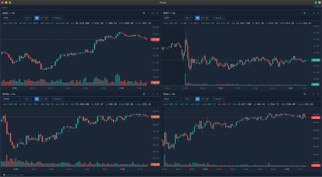
TickForge multi-chart grid with several live candlestick charts
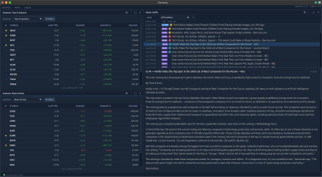
TickForge discovery view with scanner results and a news feed

One plan. Every feature.

A full day-trading terminal for Interactive Brokers — one price, 17-day trial. No tiers, no add-ons.

Monthly
$39/ month
Start 17-day trial
Full pricing & FAQ →Card on file · cancel any time · no charge before day 18

What you need

An Interactive Brokers account (live or paper trading account).

TWS or IB Gateway running locally with API access enabled. The onboarding wizard walks you through this.

IBKR market-data subscriptions for the symbols you trade. Level 1 required; news and fundamentals need the corresponding IBKR subscriptions.

Windows 10+, macOS 12+ (Intel & Apple Silicon), or Linux (AppImage, glibc 2.35+ / 2022 or newer).

Open it in seconds. Trade from day one.

Start your 17-day free trial today. Full access, no setup fees.

Start your 17-day trial

No commitment beyond a card on file. Cancel any time.